Chromecast support
Immich supports Google's Cast protocol so that photos and videos can be cast to devices such as a Chromecast and a Nest Hub from the web and mobile apps. This feature is experimental and has several important limitations listed below.
Enable Google Cast Support
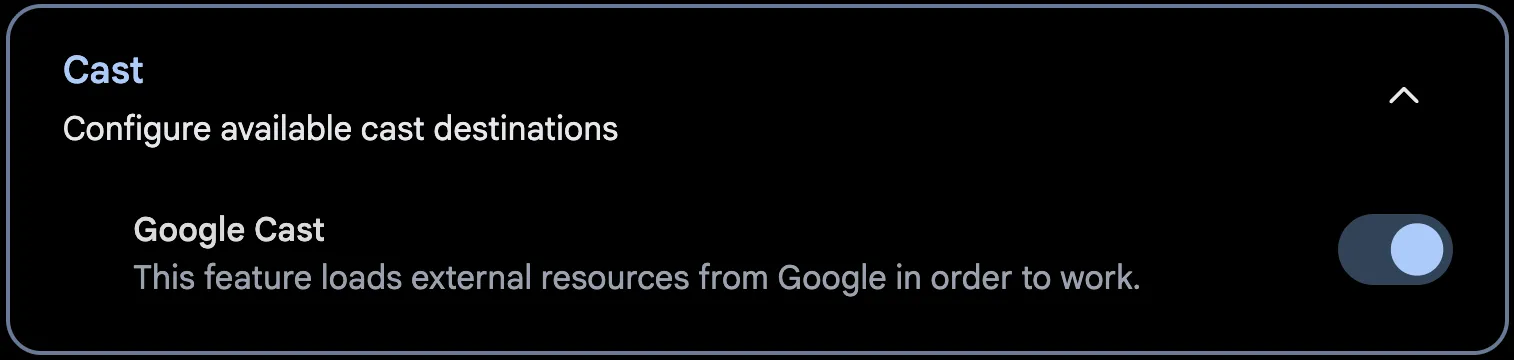
Google Cast support is disabled by default. The web UI uses Google-provided scripts and must retrieve them from Google servers when the page loads. This is a privacy concern for some and is thus opt-in.
You can enable Google Cast support through Account Settings > Features > Cast > Google Cast
Limitations
To use casting with Immich, there are a few prerequisites:
- Your instance must be accessed via an HTTPS connection in order for the casting menu to show.
- Your Cast device must be able to reach your instance over HTTPS and resolve its hostname.
- Videos must be in a format that is compatible with Google Cast. For more info, check out Google's documentation
- Real-time HLS transcoding is used for local web playback, but Cast video currently uses a direct playback URL. Cast-compatible HLS authentication and controls are still being developed.
Custom receiver
The optional custom receiver preloads adjacent photos and loops videos in its media element. To use it from both the web and mobile apps:
- Register a Custom Receiver in the Google Cast SDK Developer Console with the URL
https://your-immich-host/cast/receiver.html. Register your Cast device as a development device if the application is unpublished. - Set
IMMICH_CAST_RECEIVER_APP_IDto the resulting application ID in the Immich server environment, then restart the server. Both apps read the ID from the server and fall back to Google's default receiver when it is unset. - Ensure the Cast device can reach the receiver page and media URLs over HTTPS.
Existing web builds that set VITE_IMMICH_CAST_RECEIVER_APP_ID continue to use that value when the server has no receiver ID configured. The mobile app needs the server setting because its installed binary can connect to different Immich servers.